
Contact Field Variables Reference
Every standard and additional contact field is available as a Velocity variable. To see all fields available in your account, go to Settings → Additional fields.
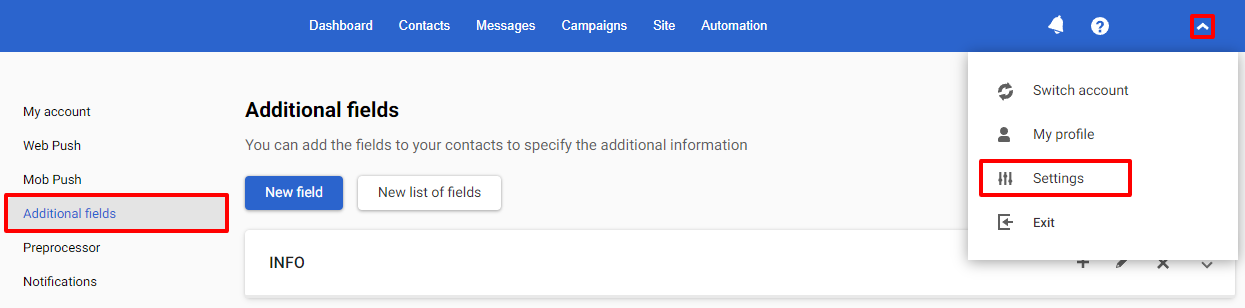
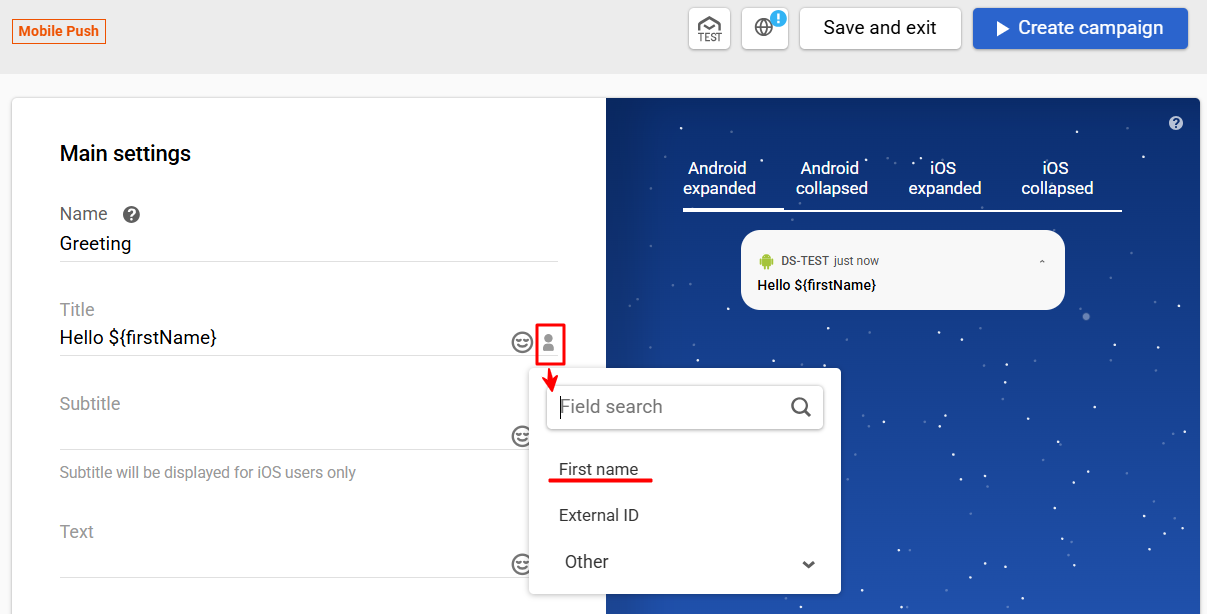
You can insert a variable manually or use the personalization menu in the message editor — a UI shortcut that inserts the correct variable syntax automatically.
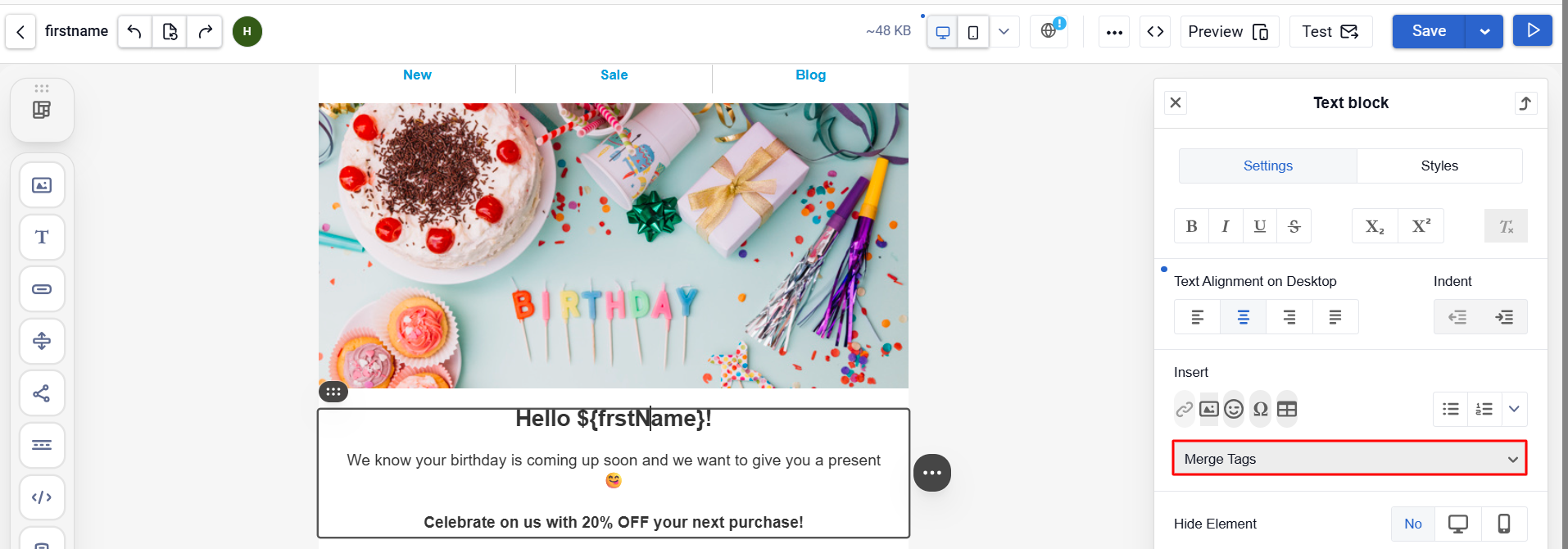
The menu is available in all channels: Email, SMS, Viber, Mobile Push, Web Push, App Inbox, Telegram. The variable syntax is the same across all channels.
Standard Contact Fields
| Field | Variable |
|---|---|
| First name | ${firstName} |
| Last name | ${lastName} |
| Full name | ${firstName} ${lastName} |
${email} | |
| Phone | ${sms} |
| External ID | ${externalCustomerId} |
| City | ${town} |
| Address | ${address} |
| Region | ${county} |
| Postcode | ${postcode} |
| Message name | ${messageName} |
Additional Field Examples
Additional fields follow the same syntax. The variable name matches the field name defined in Settings → Additional fields.
| Field | Variable |
|---|---|
| Bonus balance | ${personal.bonus} |
| Promo code | ${personal.promocode} |
| QR code | ${personal.qrcode} |
| Manager name | ${manager.name} |
| Manager phone | ${manager.phone} |
| Subscription status | ${subscription.status} |
Variable names in your account may differ depending on how your contact fields are named.
Handling Missing Values
Depending on the syntax, variables behave as follows when a value is absent:
${firstName}— insert the value; if missing, outputs the literal text${firstName}$!{firstName}— output nothing if the value is missing${firstName|'friend'}— show fallback text if the value is missing${personal.bonus|'0'}— show a default value
Example:
Hello, ${firstName|'friend'}!
You have ${personal.bonus|'0'} bonus points.
Your manager: ${manager.name|'our support team'}
Notes
- Field names are case-insensitive:
${firstName},${FIRSTNAME}, and${firstname}all work the same way. - Use
${variable}with curly braces when the variable is adjacent to other text to avoid ambiguity. - Contact field variables work the same way across all channels: Email, SMS, Mobile Push, Web Push, Viber, App Inbox, Telegram.
- For event data and external sources, variable availability depends on the context. See Velocity in Messages and Velocity in Workflows for details.
Updated 3 months ago