
Email Tracking
Enable or disable email open tracking for the whole account
Yespo tracks email opens using a tracking pixel — a special piece of HTML code that is automatically added to every email when it's sent. When a recipient opens the email, Yespo records the open.
Note
Open tracking is enabled by default.
If your privacy requirements, such as GDPR, don't allow open tracking, disable it in the account settings.
Tracking is enabled or disabled for all emails in the account at once. It can't be set separately for contacts, segments, or countries.
Disabling Tracking
- Go to Settings → Email tracking.
- Turn off the Track opens toggle.
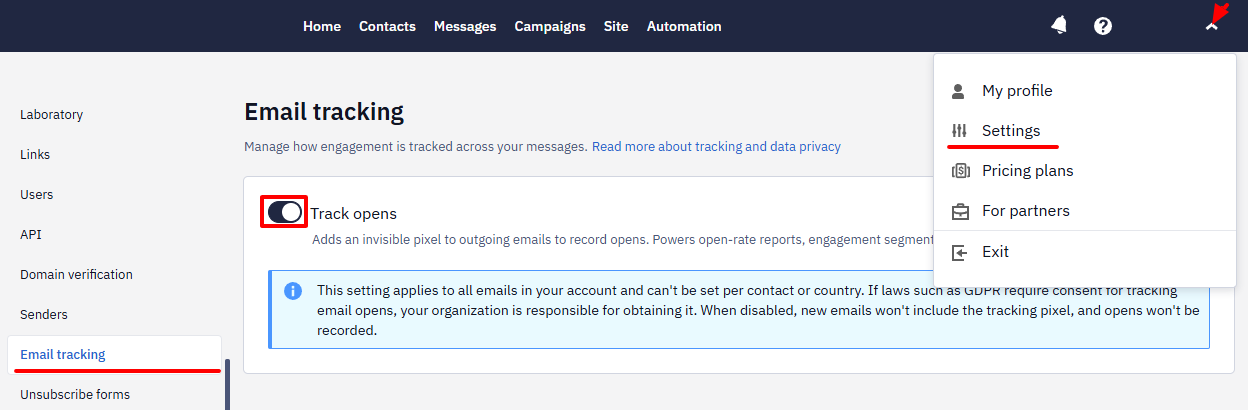
- Click Disable tracking in the confirmation dialog.
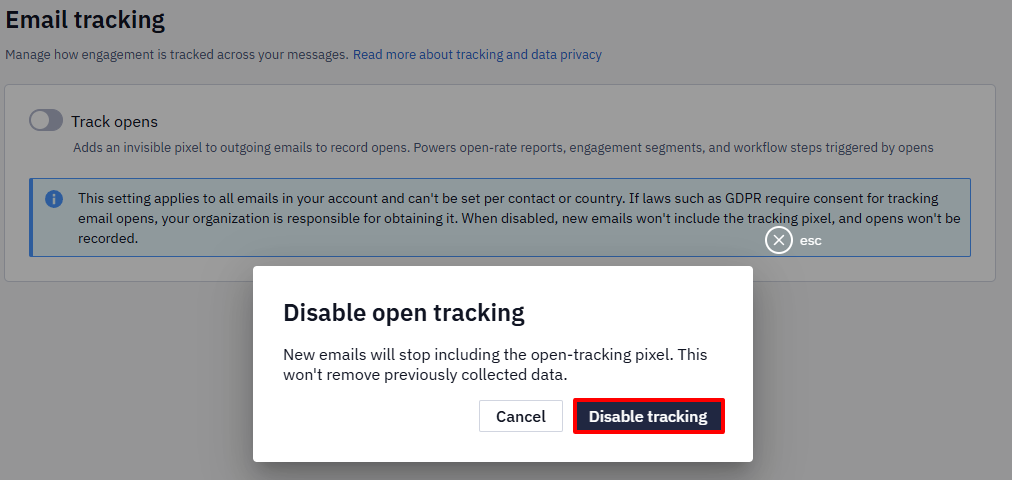
After you disable tracking:
- new emails are sent without the tracking pixel;
- opens are no longer recorded, so opens and open rate aren't updated in reports and metrics;
- segments based on email opens don't receive new data;
- the Opened? block in workflows doesn't receive open data.
Previously collected data isn't deleted.
Updated 20 days ago
Did this page help you?